[Case 04]
WizWord - Word and Character Counter
Writing
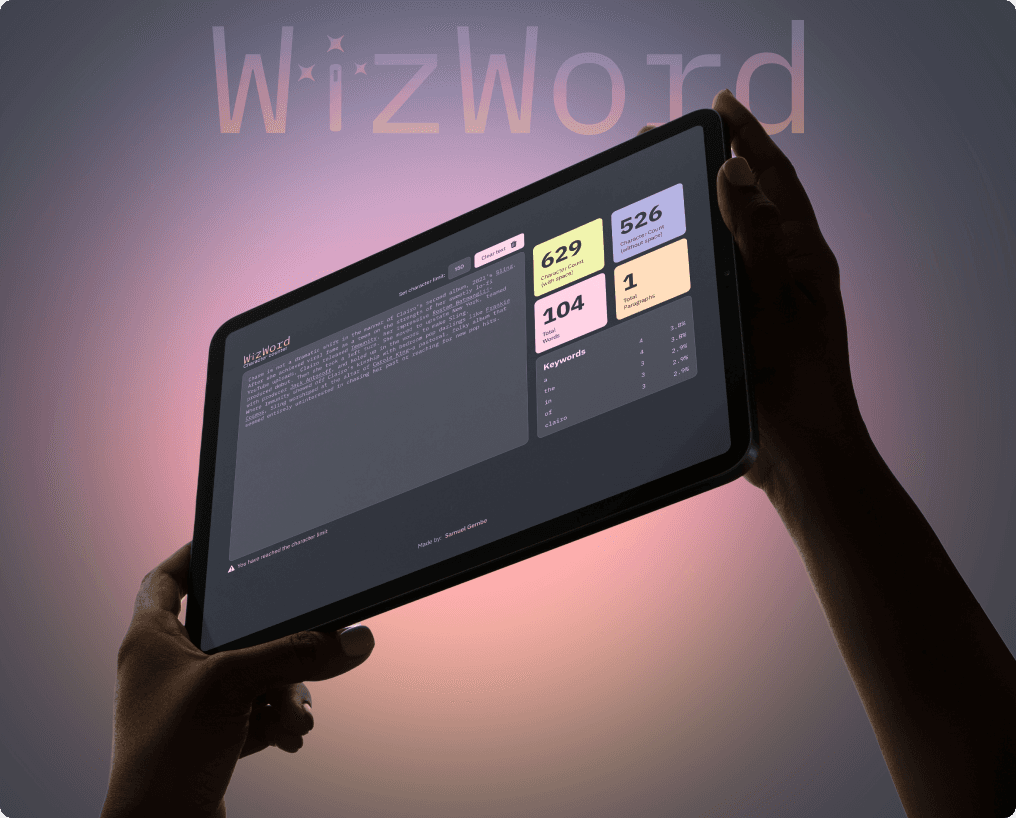
WizWord - Word & Character Counter
A minimalist, real-time word & character counter with dark mode and analytics.
[Project Overview]
This brief was taken from Frontend Mentor, I made some adjustments to the design and certain interactions that I saw necessary and with the purpose of giving it a personal touch.
I wanted to create a faster, cleaner alternative to existing word counters, with a focus on accessibility and intuitive design
[Problem Statement]
When I took on the project to practice my Frontend skills, I realized that the other pages that did the same thing had a very complicated interface with many elements, many with a less polished interface.
[Industry]
Writing
[My Role]
Lead Designer - Frontend Developer
[Platforms]
Desktop and Mobile
[Timeline]
February 2024
[Persona]

Laura
Copywriter
In the industry I work in, every character counts and is valuable to tell a story in a few words.
Age: 29
Location: Los Angeles
Tech Proficiency: Moderate
Gender: Female
[Goal]
Ship error-free copy in 1-2 drafts
Use a character counter with ease and fluency
Quickly locate important data collected by the accountant
[Frustrations]
Use 2 or 3 pages to check characters
Annoying ads
Difficulty navigating other similar sites
[Process]
[01] User Research
Conducted user interviews with 1 user.
Read comments on the internet.
Tested other similar pages to detect friction.
[02] Insights
Users frustrated by not being able to trust a single platform
Users have difficulty reading or finding statistics
They need a clearer interface
[03 Design Solution]
Simplified the UI and dark themed design thinking about reducing the visual fatigue of the user.
Highlight only the most important stats and a fairly legible font for the main text to support readability.
Added a feature to limit characters.
[04] Testing & Iteration
Conducted testing with few users.
Gathered feedback through usability testing and refined the design based on user input.
Designed a mobile-friendly interface with larger buttons and text areas.
[Outcome]
The dark theme reduced eye strain for users.
Friendly and intuitive interface.
40% improvement in perceived ease of use, as measured by post-launch surveys.
[Key Learnings]
Simplification is key
Users value a quick and easy process, especially on mobile.
The set of skills
Although it all started as just a frontend project, along the way I took the initiative to unite my UX/UI skills and give a boost to this interface that was already given
Effort pays off
Seeing real people using it in their daily work lives is quite comforting and motivating to continue developing products that have a positive impact.